Train together,
live.
Your trainer follows your workout set by set as it happens, logs sets with you, adds exercises and runs your rest timer, from the KIVO app or the trainer portal. Same gym or another country.
Coach live, as it happens
- Sara logs a set. It shows on Rana's tablet at once.
- One rest timer, two screens. Rana adds 30 seconds from the tablet.
- Rana adds an exercise. It appears in Sara's workout.
- Rana logs a set for Sara. It's marked Coached.
- A message lands on Sara's phone mid-workout.
Every set, the moment you log it
Tick a set on your phone or Watch and it's on your trainer's screen within a second or two, with the weight, reps and set type.
- Your workout clock and rest timer on both screens
- Warm-up, drop and failure sets marked
- Notes and records as they happen
Your trainer can take the controls
When it's easier for them to do it, your trainer logs a set for you, fixes a weight, changes the set type, adds or swaps an exercise, reorders them or links a superset. It all lands in your workout straight away.
- Sets they log are marked Coached in your history
- Add, replace, move or remove exercises
- Supersets linked or split in one tap
One rest timer, two screens
Your trainer starts, extends or skips your rest, or sets a rest after every set they log. The timer runs on your phone, your Watch and their screen.
- +30 s or skip from their screen
- A rest of their choice after each set they log
- Your phone buzzes when rest is over
Coach from the KIVO app
Trainers coach from the KIVO app on iPhone or Android, phone or tablet, or from the trainer portal in any browser. A notification arrives when a client starts a workout with Coach live, and when they send a message.
- All clients, their plans, food and progress in one place
- Every exercise's video, to show the move
- Invite clients with a link that fills in your code
You stay in charge
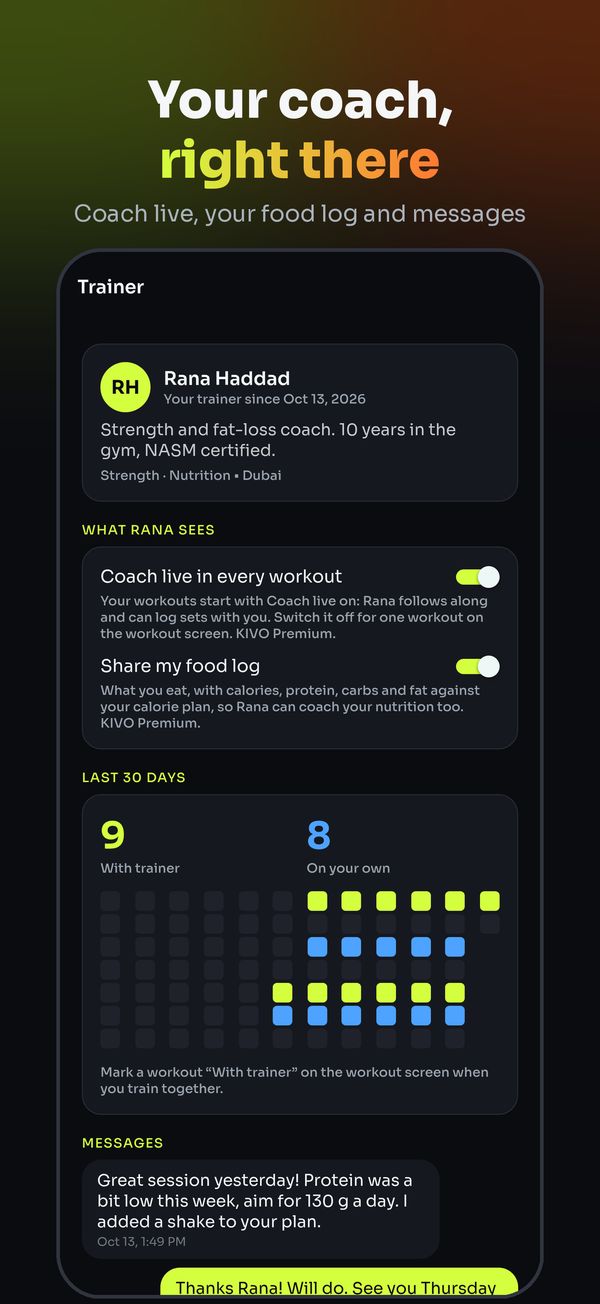
Coach live is on by default once you link a trainer and have KIVO Premium. Switch it off for one workout or for good. If your trainer asks to cancel a workout, you confirm on your phone.
- Off for one workout, on the workout screen
- Off for good in Settings, Trainer
- Unlink your trainer any time
Coach live is part of KIVO Premium; try training with your trainer free for 14 days, once. Trainers are independent professionals.
Questions
What is Coach live?
Your trainer follows your workout as it happens, set by set, from the KIVO app or the trainer portal. They can log sets with you, change weights and set types, add or swap exercises, run your rest timer and message you.
Does my trainer need to be in the gym?
No. Coach live works the same in the same gym or from another country: what you log shows on their screen within a second or two, and what they change shows on your phone.
Can trainers coach from their phone?
Yes. Trainers coach from the KIVO app on iPhone or Android (sign in with Trainer sign in), or from the trainer portal in any browser, on a tablet or a computer.
Can I turn Coach live off?
Yes. It's on by default when you link a trainer (with KIVO Premium); switch it off for one workout on the workout screen, or for good in Settings, Trainer.